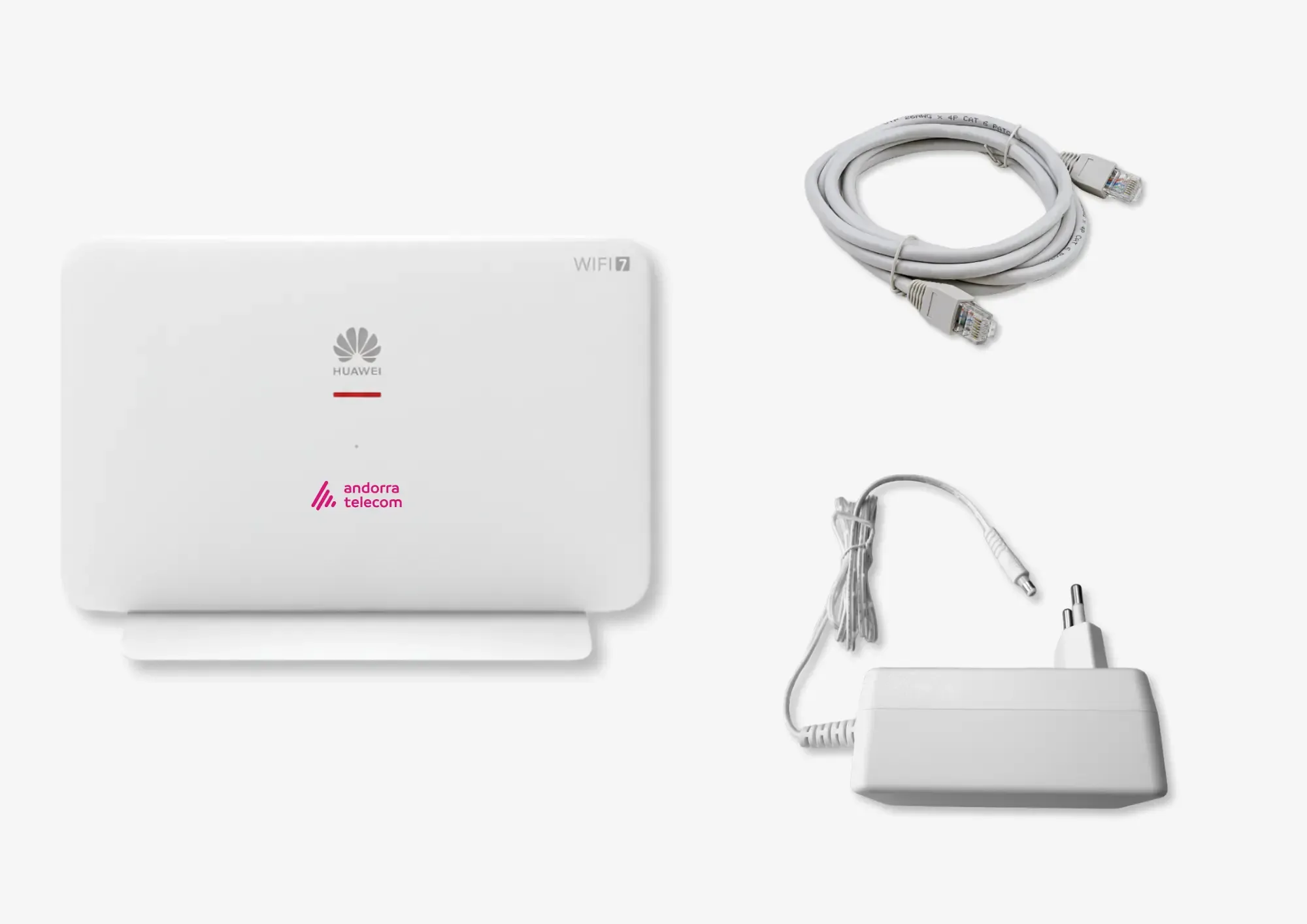
Step 1: Check the contents of the box and make sure you have all the required components:
• New router
• Network cable
• Power cable
• New router
• Network cable
• Power cable
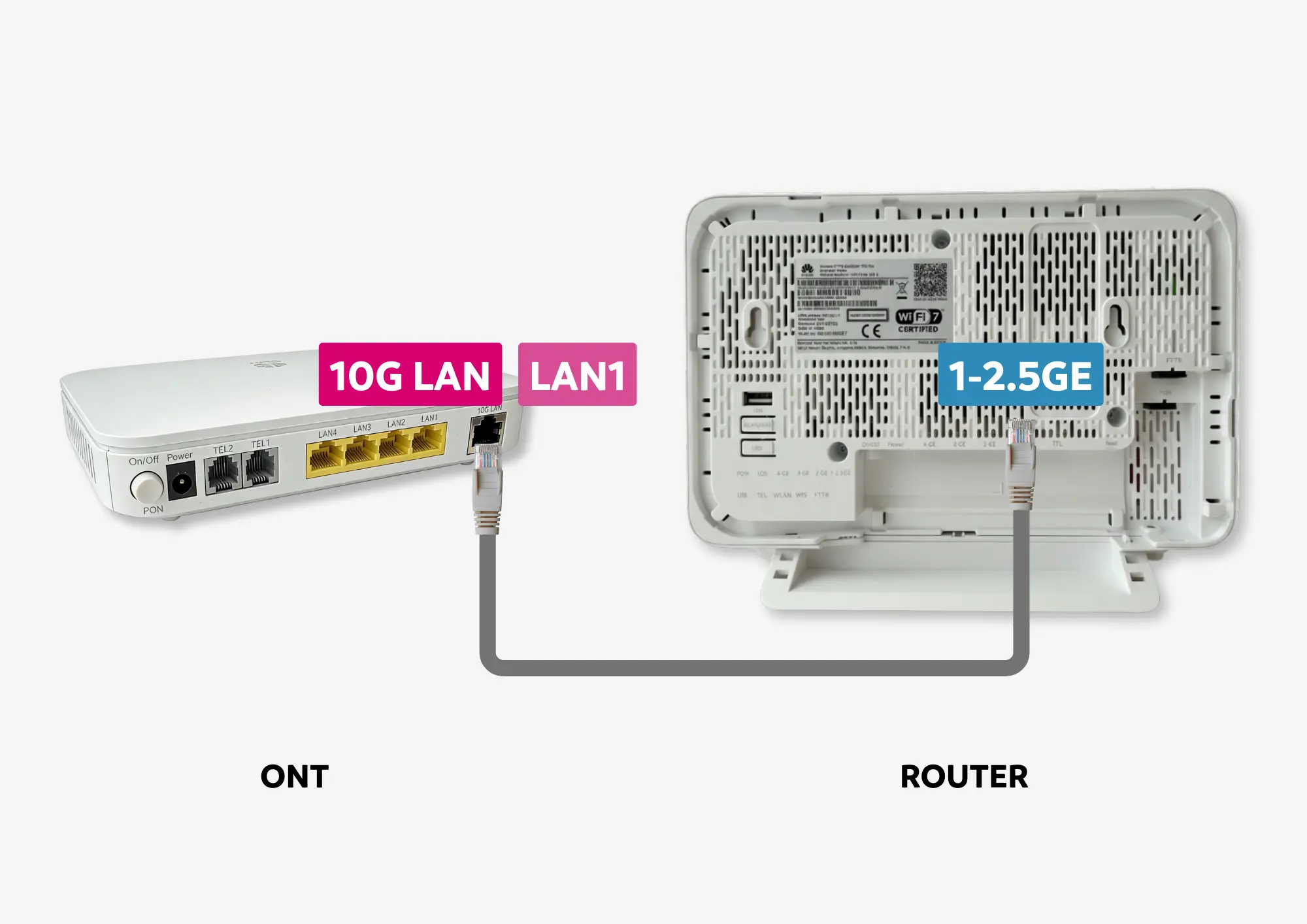
Connect the cable from the 10G LAN port of the ONT to the 1-2.5GE port of the new router. If your ONT does not have a 10G LAN port, connect it to the LAN1 port.
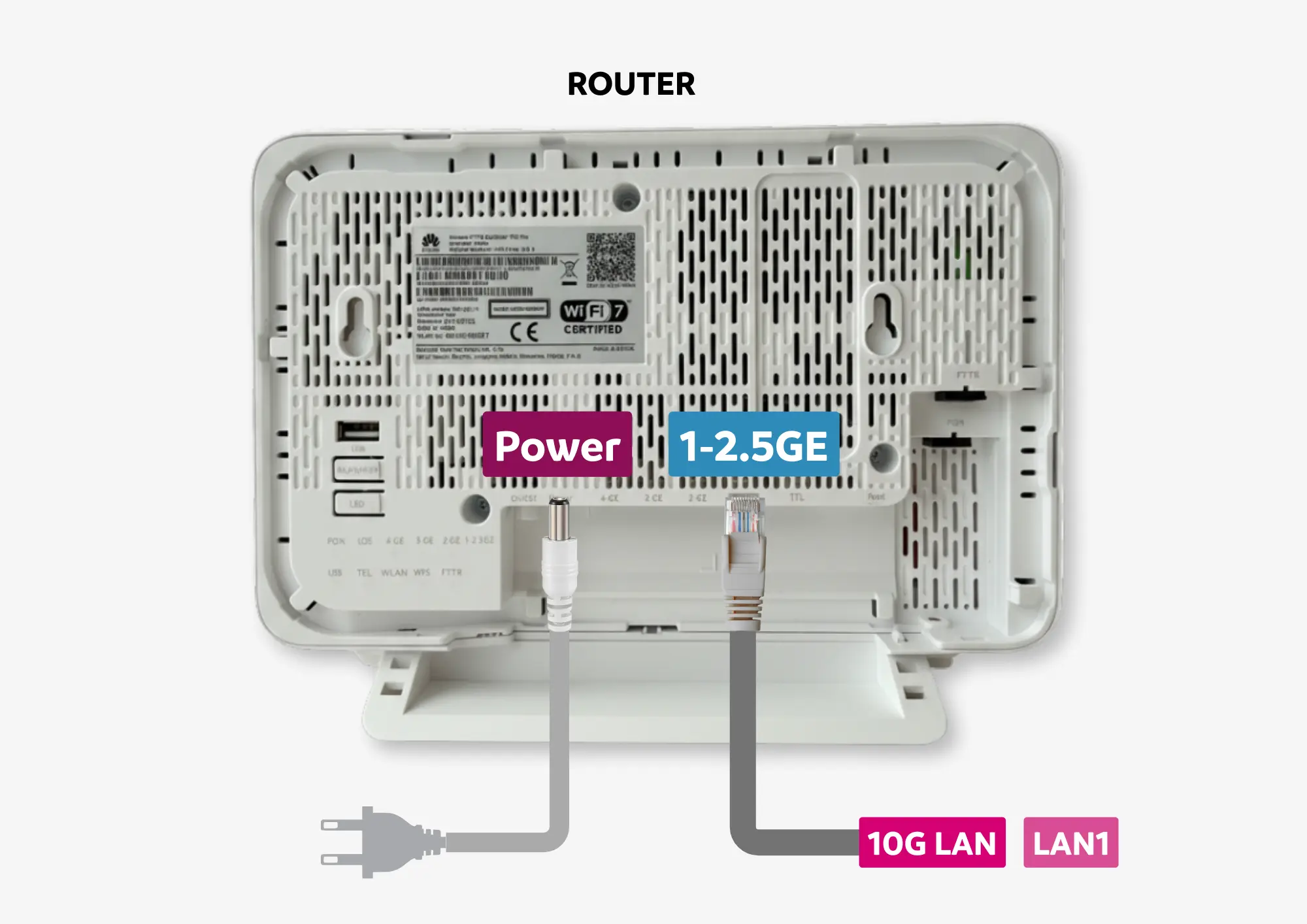
Plug the power cable into the mains and connect it to the router.
The router will automatically configure itself to connect to the internet.
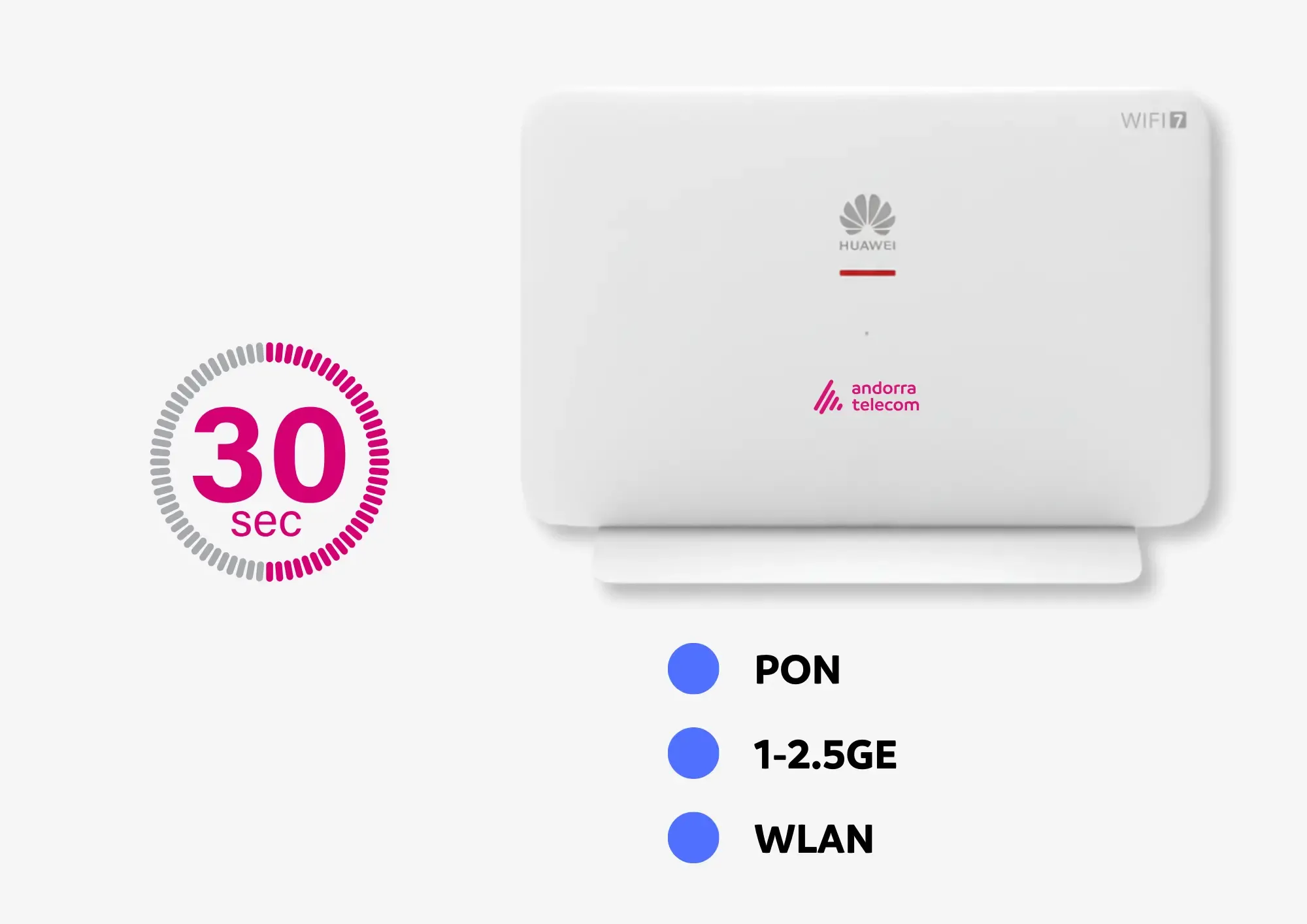
Access the Wi-Fi network with the SSID and WLAN Key credentials shown on the sticker on the back of the router. Can you connect to the internet?
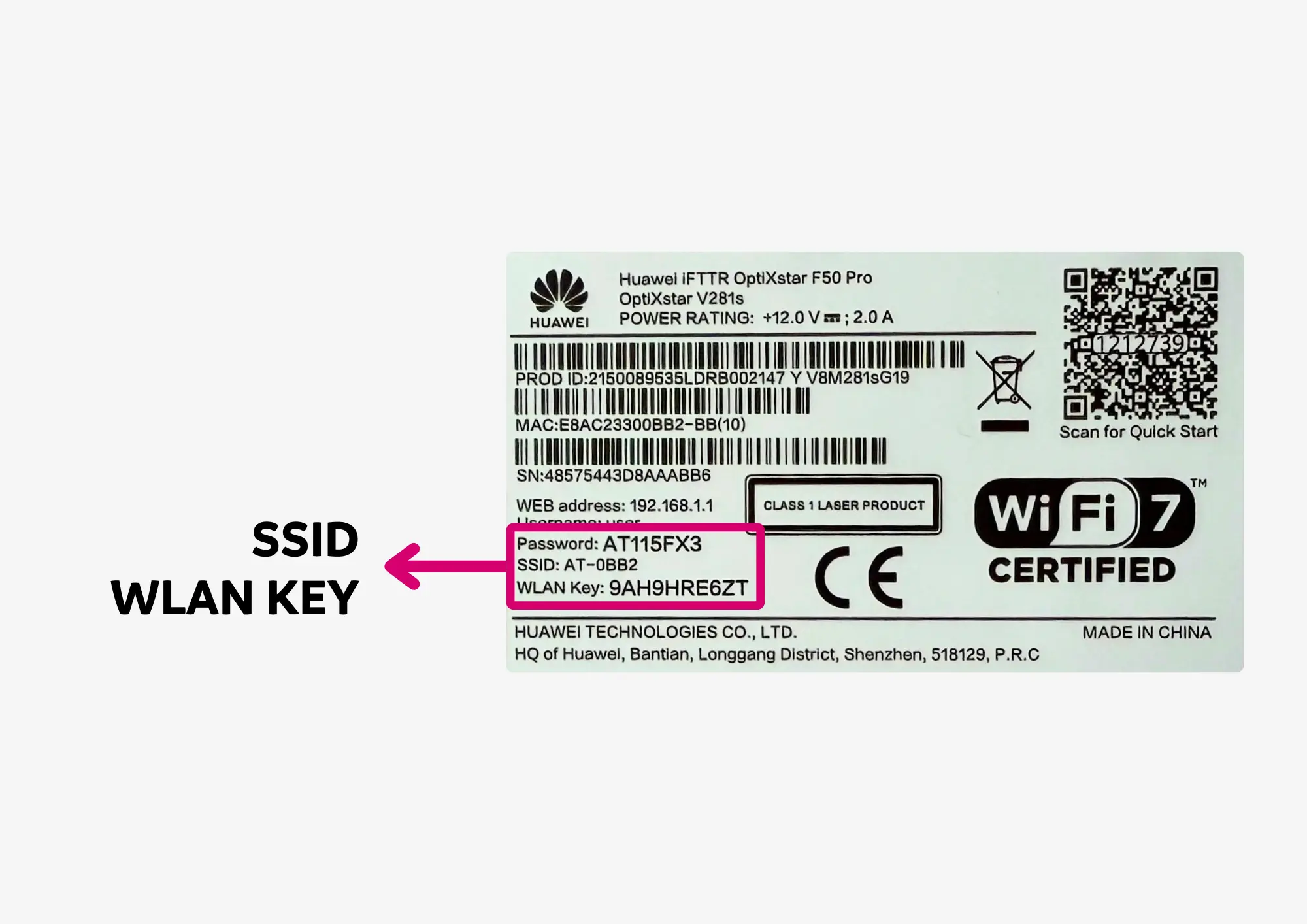
Can you connect to the internet?
 Do you want to customise the Wi-Fi network name and password?